General code comes out better than code cut to fit one job, and its authors are the first to benefit. When we cannot afford all of it, the way down runs against instinct: work out the ideal shape first, then cut what today does not need, and keep a plan for putting it back.
Duff’s device in JavaScript raced hand-written loops that copy one array into another. A reader asked the follow-up: how do they compare with Array#copyWithin, the built-in that copies a range inside a single array? That is a different workload, so it needs its own measurement. The short answer: on every Node and Deno we can install today, the built-in runs 47 to 84 times slower than the loop.
Over the summer I published a series on coding tactics: the everyday craft of ifs, loops, and the reasoning behind them. Eight posts, one thesis, best read in order. This is the map.
“Premature optimization is the root of all evil” — our field’s favorite half-sentence, quoted far more often than the sentence it was cut from. Usually it serves as permission: build it fast, profile later, fix a thing or two, done. Let’s put the sentence back together and ask what it licenses: when is optimization premature, and when is “premature” the excuse?
When I read consistent, cohesive code, I have a feel for its author. I may disagree with the ideas, but I can feel where the author is driving it. Other times the feel is split-brain — the code’s “energy” is fractured, the work of unaligned hands each solving its own small problem, none with an idea where the whole is going. Immediately I feel it should be rewritten or refactored holistically.
Here is the paradox. Most of us are dedicated professionals with years of experience, and bad code is everywhere. Programmers I respect produce it; my own code is far from perfect. Why?
The last post argued that break, continue, and labeled jumps are structured goto — disciplined jumps that keep code linear. Two ordinary language features are jumps in disguise: yield, which suspends a function and later resumes it in the middle, and throw, which leaps across stack frames to a waiting handler.
In 1983, Tom Duff needed to copy memory into an output register faster than his compiler could manage, and wrote the most famous abuse of switch in the history of C. I ported his device to JavaScript and raced it against the plainest possible loop — and the verdict changed with the engine, the engine’s version, and the CPU underneath.
“Go To Statement Considered Harmful” is one of the most-quoted titles in programming, and almost nobody reads past it. The argument underneath is narrower than the slogan it became — and the reflex it bred, avoiding every jump, produces code worse than the goto it was meant to replace.
Efficient resource utilization was at the forefront of computing from the very beginning. Over time we traded some of that efficiency for developer experience, and preserved the rest by harnessing better hardware and new paradigms: multithreading and multiprocessing, stream processing, asynchronous programming… Languages are how we reason about problems, encode algorithms, and organize programs — the vector runs from high-level languages through structured programming, OOP, functional and logic programming. Note what that vector does not include: how the runtime is structured, compiled or interpreted — either way we write some text and hand it to the system. Each step looks logical in hindsight. Yet some things don’t look logical at all.
We spend a lot of effort making code run and almost none making it argue. An invariant is the cheap proof tool that turns “I think this loop is right” into “I know it is” — and we already use them without naming them.
Most of the numbers that decide an architecture can be settled on the back of a napkin, before a line of the prototype is written. A handful of formulas and a latency ladder you can recite from memory rule out bad designs a profiler could only catch after they’re built. The same numbers expose the quieter traps — like a redundant trio of replicas that one dead node takes down whole. Let’s do the arithmetic.
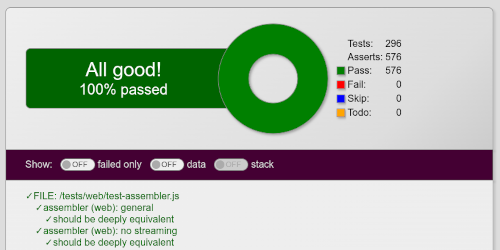
Tests are a cornerstone of modern development, and somewhere along the way we started treating a green suite as proof. It isn’t: it tells you the cases you thought of still pass, not the ones you didn’t. That confusion was always with us — and it matters more now that an AI agent might be the one chasing the green.
I once needed the SLA for an endpoint my dashboard leaned on, so I asked the team that owned it. Their lead came back with 200ms ± 500ms. Read that literally and the fastest responses arrive 300ms before the request is even sent. The number wasn’t malicious — it came straight out of the standard formulas. The formulas were wrong for the data, and that mistake is everywhere.
The third article in the series, still on conditions. The previous installment was about their shape — merging ifs, factoring shared decisions, dropping checks that earn nothing. This one reaches for the other lever: the algebra of the conditions themselves — not a textbook tour, just the handful of transformations I lean on in everyday code.
Great programmers cheat. A hard problem gets quietly swapped for an easier one; a transaction-grade database is replaced by a flat file nobody misses; machinery everyone else considers mandatory simply never gets built. They know a lot — and that’s exactly why they get away with it.
The second article in the series. The first was about control flow; this one stays with the same tactic — reshaping code — one layer down, at the condition. Here: merging ifs, factoring shared decisions, and dropping checks that earn nothing. The Boolean algebra of conditions — De Morgan and friends — is a different lever, and gets its own installment next time.
You can find plenty of articles about design — where and how to use SQL, NoSQL, message queues, Redis, VMs, and so on. Almost nobody writes about tactics: the actual coding. It borders on style, but it isn’t just style. This is the first article in a series on tactics I use day to day. Highly opinionated — I don’t expect you to follow it. Look, chuckle, think about it, and use what you like.
How a slow first cut, a surprising benchmark, and a tour through V8’s regex engine landed five small libraries on npm that still earn their keep a decade later.
As programmers we rarely have a luxury to write a project from scratch. Usually we have
to retrofit existing projects with all cool things we need. If a new component, or a library
we want to use introduces new concepts that bleed outside its boundary, we have a “culture clash”,
when old code is unaware about new concepts have to work with it anyhow. Sometimes the clash is so bad
that we have to give up on using shiny new things, or have to significantly rework their code,
which requires time and efforts we cannot afford.
Incomplete objects allow us to concentrate on important properties of JavaScript objects
ignoring the rest: we don’t need to specify every single property, and we can deal with
cyclical graphs.
Incomplete arrays is a complimentary feature to inspect only the first few array items.
Both features are very useful for patterns, and heya-unify provides rich facilities to automate
creating incomplete objects: they can be marked up explicitly on per-instance basis, recursively
with a special utility, and we can specify how to deal with objects by default during unification.