I’ve migrated my sites to new Django admin. It is easy to do but make sure that you followed instructions closely. Small mistakes can cost you a lot of head-scratching time. You can find the instructions at the bottom of Backwards-incompatible changes
.
New refactoring has totally made sense. Meanwhile Robert Wittams & Co is working on new-admin (note the hyphen). Django’s admin is a very nice app (now it is an app!). I hope I could reuse some pieces of upcoming new-admin in my apps. If I remember correctly it was the main driving force behind branching.
DreamHost
has installed Python 2.4.1. Somehow I didn’t see it before. Default python goes to Python 2.3.5. Use python2.4 instead.
As you know I bricked
my wireless router. All simple things were tried without any positive effect. Kaloz (of OpenWrt fame) has advised me to try JTAG
. It’s a very simple thing: you need a computer, a proper software, and JTAG cable, which can be self-made
. Obviously the last part is the crucial one.
I made a trip to my friendly neighborhood Altex
store and bought all necessary parts: 4 100 Ohm resistors, male & female 14 pin IDC connectors (they didn’t have 12 pin ones, which were modified later using cutters), 25 pin male SUB-D, and 3’ 25 pin male to female cable — I figured I’ll make extremely short JTAG "cable" and attach it to short printer cable. The last item was the most expensive part: $3.99. It took me about 5 minutes to put everything together.
In his blog post Ian Maurer shares a very slick way to run unit tests with SQLite’s in-memory database. Check it out: http://itmaurer.com/blog/?p=2
Simple, elegant, practical.
Today I have good news and bad news.
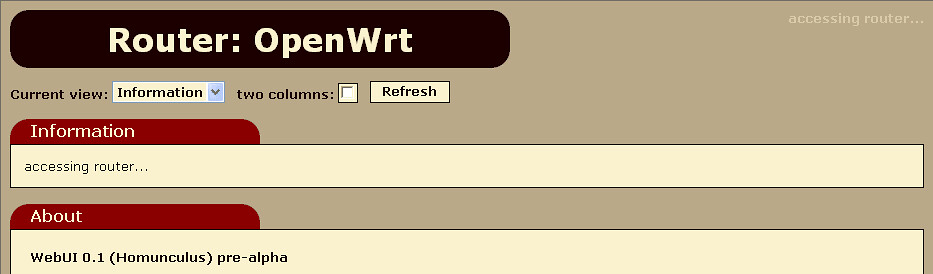
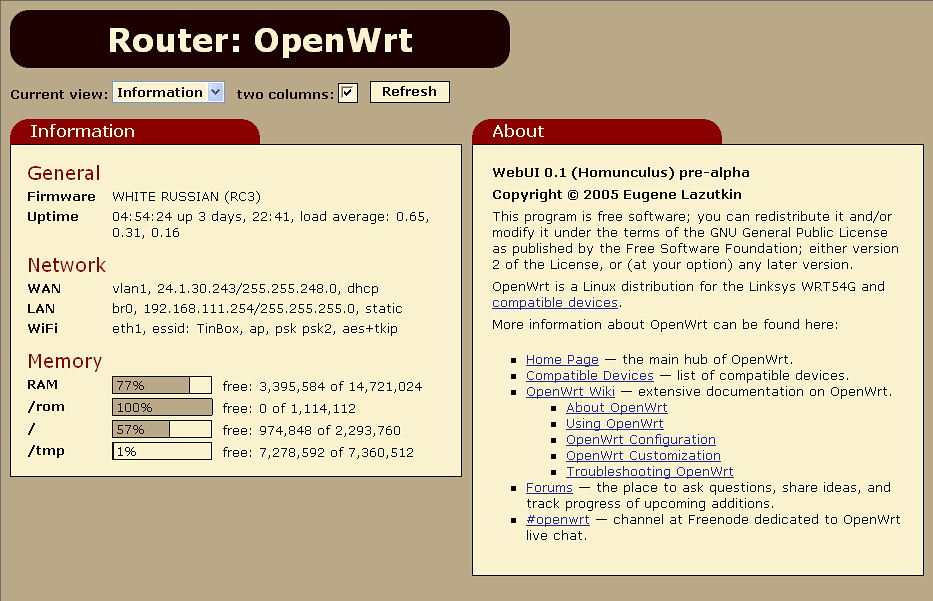
The good news is tonight I was able to work on AJAX OpenWrt GUI a little bit more. It is coming together. I coded my first applet. It shows current stats, nothing fancy.
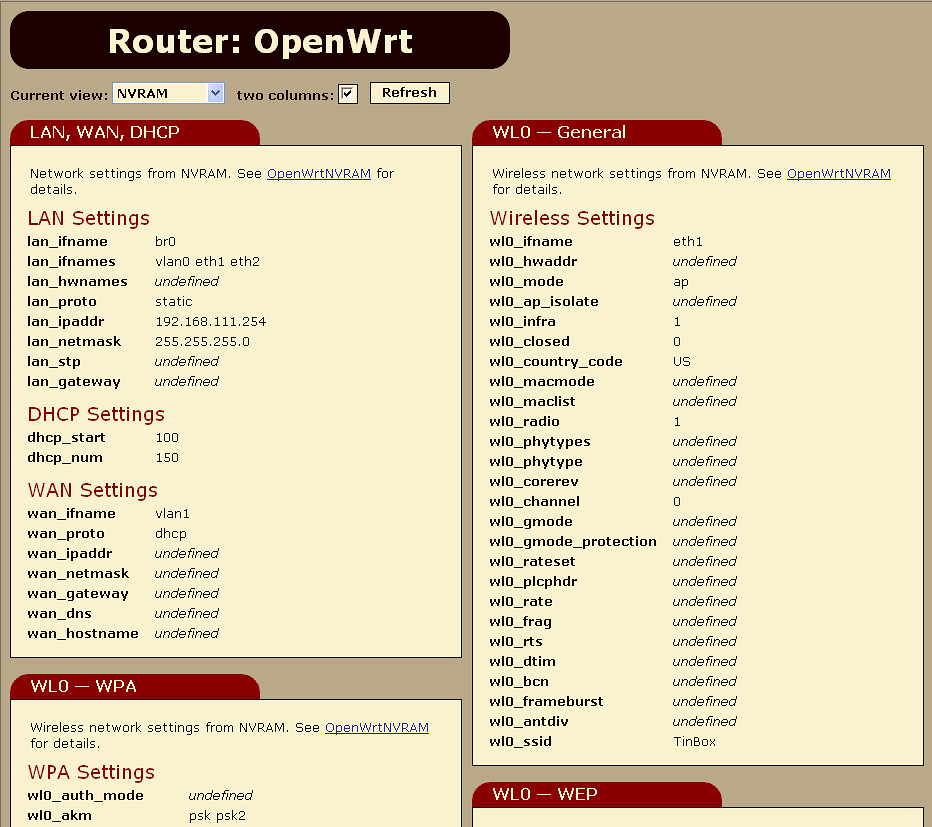
The bad news is I bricked my router apparently by running nvram show repeatedly. I suspect that nvram is corrupted beyond salvation. I have to reset it somehow. I tried simple recipies listed in OpenWrt Wiki
but no luck so far. I’ll try to revive it on weekend. I have a feeling that my future lies with JTAG. Until the router is up I cannot debug OpenWrt GUI.
O.K. I migrated to InnoDB using backup/restore. So far so good.
Don’t forget to replace all "MyISAM" to "InnoDB" in your backup files before restoring them to new databases.
Joy to the World! DreamHost
just started to offer MySQL/InnoDB! Finally we can do transactions. Just three weeks ago they "didn’t have any plans."
Wording of the news is kind of strange: "we now offer InnoDB support on all new MySQL databases anybody adds from our web panel." It turned out I cannot change my existing databases. Oh, well. I can copy them.
Today I learned that this blog is ranked 775,745 by Technorati
! It means that only 775,744 blogs are better than mine. Eat my dust you two nameless losers!
I pledge to continue my standards of excellence and to grow my rank to at least 1,000,000. As a matter of fact I did almost everything I could for that. Now I have to find 224,255 people to join Technorati with their blogs… Damn this Technorati pyramid scheme!
I was able to spend several hours this week to work on upcoming OpenWrt
GUI. I use Dojo
as a foundation. At this point I coded a skeleton, which works as a proof of concept. As soon as I finish putting in AJAX guts, I’ll switch to meaty functionality. Add some nice skin to it and we have our homunculus
up and running.
Huh? AJAX? No, it’s not Ajax the detergent
. No, I didn’t mean Ajax the pro soccer club
. "Now I clearly remember that AJAX is a Trojan, and I don’t like Trojans and viruses" — clever, but no. Go see the movie
about Greek heroes and the Wooden Horse. And let’s skip "Trojan" discussion altogether — I’m trying to be PG-13 rated.
Once again, let’s grab new version of TinyMCE
.
I am running new Django cache code now. If you notice any problems with it (e.g., error messages), please drop me a line at once.
My email is at the bottom of the page.
For a long time I wanted to have two TinyMCE toolbars for Django Admin:
- One-line toolbar with the most essential tools, which gives a lot of space for inline editing of text.
- Full-featured toolbar with all tools for full-screen mode.
It finally happened. Spocke (the main developer of TinyMCE) helped me to figure out how to do it. I updated my article in Django Wiki
with new config file, and removed my notes about space problem (new config file solves it) and flickering (new TinyMCE 2.0 RC2 works perfectly).
In my previous post
I complained about annoying flickering. Well, I’ve upgraded to TinyMCE 2.0 RC2
and it doesn’t flicker anymore! Run, don’t walk, and upgrade immediatelly!
Finally I bit the bullet and decided to implement OpenWrt
web-based user interface using Felix Fietkau
’s code. Well, MIPS processors used by OpenWrt units
are not race horses and GUI is slow to my taste. Yes, I know that stock firmware is not faster. "Slow" is absolute category for me.
How do we combat latencies and slow network speed? Exactly. We can apply the same for OpenWrt, where "slow network speed" is replaced with "slow processor on local network". So I decided to do The Right Thing(tm) and implement it using AJAX approach. I will use Dojo
.
Hurricane Rita was donwgraded to Category 3 storm (125mph/200kph winds). Here in Dallas we expect heavy rains for 2+ days.
Sunset was very colorful today. I tried to capture it in this picture:


You can find bigger picture on Flickr
.
Update: "The Simple Way" part of this tutorial is obsolete
now. I am going to recreate examples using new improved RSS framework. Stay tuned!
I was asked several times to explain how I did RSS for my site. Django has RSS framework, which is not documented. Most probably I am not the right guy to explain it but I’ll try.
There are three ways to implement RSS with Django:
- The Simple: using Django’s RSS framework.
- The Smart: using django.utils.feedgenerator.
- The Hard: write a view and output XML manually or using standard xml.sax.saxutils.
If you want Django to do everything for you, then you should use "The Simple Way". If you want some custom object selection, you should use "The Smart Way". For obsessed workaholics, S&M adepts, and guys-with-really-convoluted-needs the only way is "The Hard Way". Being lazy I prefer #1 and #2. If you want #3, I suggest you to study files mentioned in "The Simple Way" subsection below.
The Simple Way
If you look into Django’s code, you will find several files related to RSS:
After some requests I decided to publish my code for categories. It’s very simple. It was inspired by following articles: A "category" Data Model
(note: this article uses old-style model format, it doesn’t work anymore) and Relating an object to itself, many-to-one
.
from django.core import meta

class Category(meta.Model):
    """
    Category defines following fields:

    name        - simple name of category, e.g., 'C++'
    full_name   - full name of category, which includes names of all parents,
                  e.g. 'Development::C++'
    parent      - reference to parent category or null
    description - HTML description of category, or null

    Notes:

    1) full_name is not editable. It is calculated automatically
       by calculate_full_name() method during save phase (hook _pre_save).
    2) Separator specified by get_separator() method. It can be
       overridden in subclasses.
    """
    name        = meta.CharField(maxlength=50)
    full_name   = meta.CharField(maxlength=250, unique=True,
                                 editable=False)
    parent      = meta.ForeignKey('self', blank=True, null=True,
                                  related_name='child')
    description = meta.TextField(blank=True, null=True,
                                 help_text="Use raw HTML.")

    class META:
        verbose_name_plural = 'Categories'
        module_name = verbose_name_plural.lower()
        admin = meta.Admin(
            list_display  = ('full_name',),
            search_fields = ['full_name',],
            js = (
                '/tiny_mce/tiny_mce.js',
                '/appmedia/admin/js/textareas.js',
            ),
        )
        ordering = ('full_name',)

    def __repr__(self):
        return self.full_name

    def _pre_save(self):
        self.full_name = self.calculate_full_name()

    def get_separator(self):
        return '::'

    # note: used in templates
    def get_all_children(self):
        "get list of all children of the category"
        output = []
        children = self.get_child_list()
        for c in children:
            output.append(c)
            output.extend(c.get_all_children())
        return output

    # note: the last object of the list is the category itself
    # note: used in templates
    def get_all_parents(self):
        "get list of all parents of the category from top level parent down"
        id_list = []
        object = self
        while True:
            id_list.append(object)
            if not object.parent_id:
                break
            object = object.get_parent()
        id_list.reverse()
        return id_list

    # note: used in templates
    def calculate_full_name(self):
        "calculate full name from parent list"
        return self.get_separator().join([x.name for x in self.get_all_parents()])

    # note: used in templates
    def get_path(self):
        "get relative path of the category"
        return 'categories/%d/' % self.id
As you can see it is very simple. This model defines full_name field, which is auto-populated. I was toying with an idea to keep parent_name and produce full_name by concatenating parent_name with name. But after some trials I decided against it: it introduced a lot of complexities and runtime overhead by saving a few bytes in database. In my opinion it doesn’t worth it. This model defines some convenience methods as well. They are meant to be used in templates.
Finally we have official Django badges
. Wilson Miner did a great job putting them together. I decided to use this one:

How do you like it?
If you are a fan of 80 by 15 pixels badges, don’t fret — Dave Hodder has you covered with his rendition of "Made with Django" theme. Collection of his small badges are attached to ticket #509
. Check it out too.