As you all know Django has new shiny RSS framework
. This change breaks my simple RSS tutorial
and I am glad that it happened! To tell you the whole truth, it breaks only "The Simple Way" to do RSS in Django replacing it with even simpler one. "The Smart Way" RSS still works as you can see on my web site. Like I predicted the feedgenerator is still around and it learned some new tricks: it can produce Atom feed now! I am going to update the tutorial recreating old examples with new RSS framework. It will be fun!
Recently I looked at the stats of my web site. DreamHost
provides Analog 6.0
. I supplemented it with awstats
. Plus there are some other means to analyze the traffic. Let’s put it this way: I know my average reader. I thought I did. Anyway I found a few surprises.
The country list includes 77 countries. Out of 193. Not bad for a personal blog. Practically all Eurasian countries, and countries of both Americas are in the list. Australia, New Zealand, and many island countries are there as well. Only 2 countries from Africa: South Africa and Senegal. Pity.
As of today i18n branch of Django is merged back to trunk. What is i18n? It is an abbreviation of the big word "internationalization". l10n ("localization") is a sibling of i18n. In practice it means that now you and I can do truly international multi-language web sites without much hassle. While this is more important for big corporations and international organizations, it is a big step for Django’s truly international community. Let’s thank Hugo
(the engine behind this effort), all participating developers, and all translators for their monumental effort to make it a reality.
New TinyMCE 2.0RC4 is out. It fixes numerous bugs, which never bit me. Is it going to be the last RC before actual release? Who know. Grab it
while it is hot!
I didn’t have a lot of time this weekend. So I decided to implement the simplest part of upcoming OpenWrt GUI (webui) — hosts editor. It is a perfect candidate to write something in 15 minutes or less — it has almost no "business" logic in it: read/edit/verify/write cycle. The hardest part was to learn how to upload dynamically generated files without writing them to disk first.
It turned out to be very simple. Right now it is implemented using Dojo
’s versatile dojo.io.bind()
facility and some external code.
Update: this document is officially obsolete — alpha is released
!
Please download it again: /webui-0.1-pre-alpha.ipk — two debug files made their ways to the release messing things up. Now it is fixed and I hope it’ll work for you.
Update: this document is officially obsolete — alpha is released
!
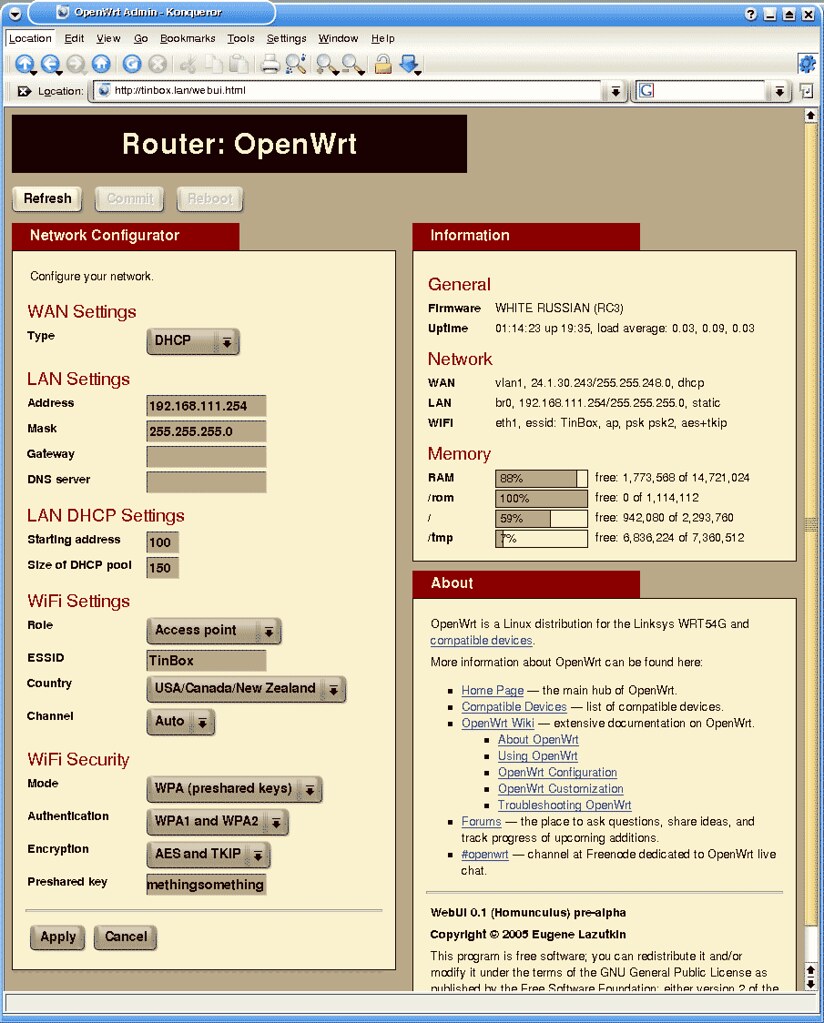
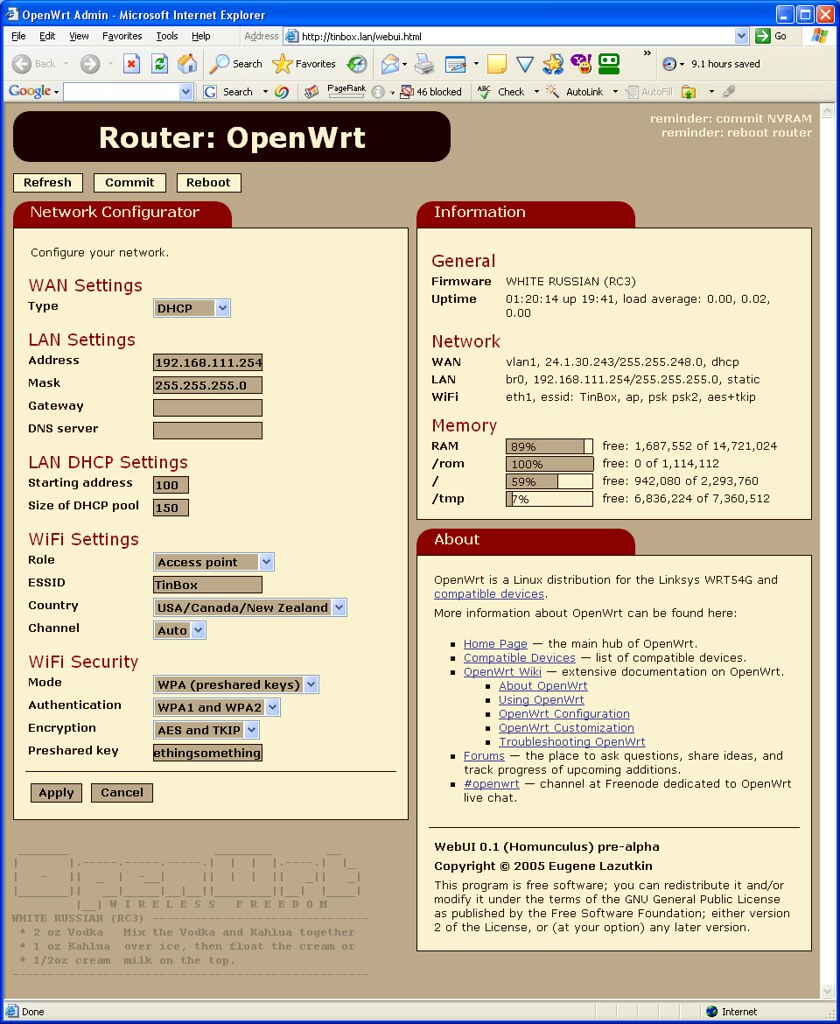
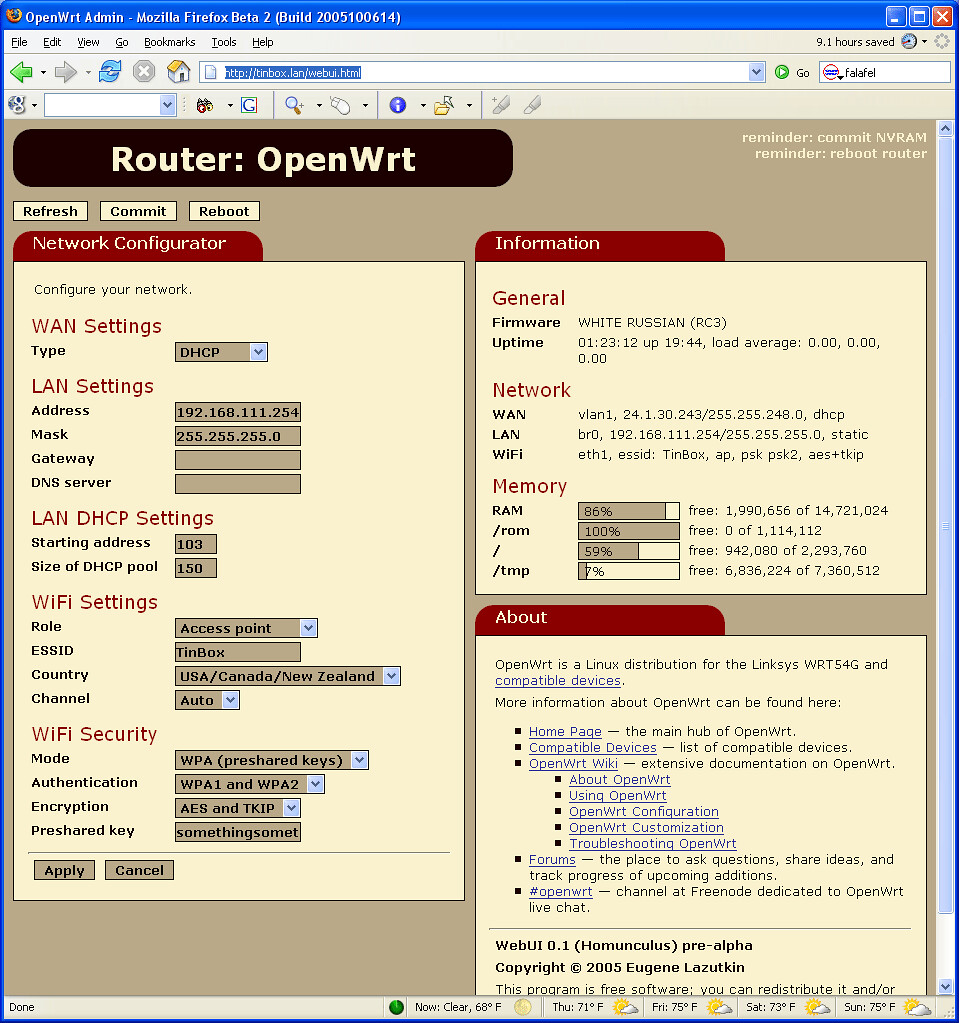
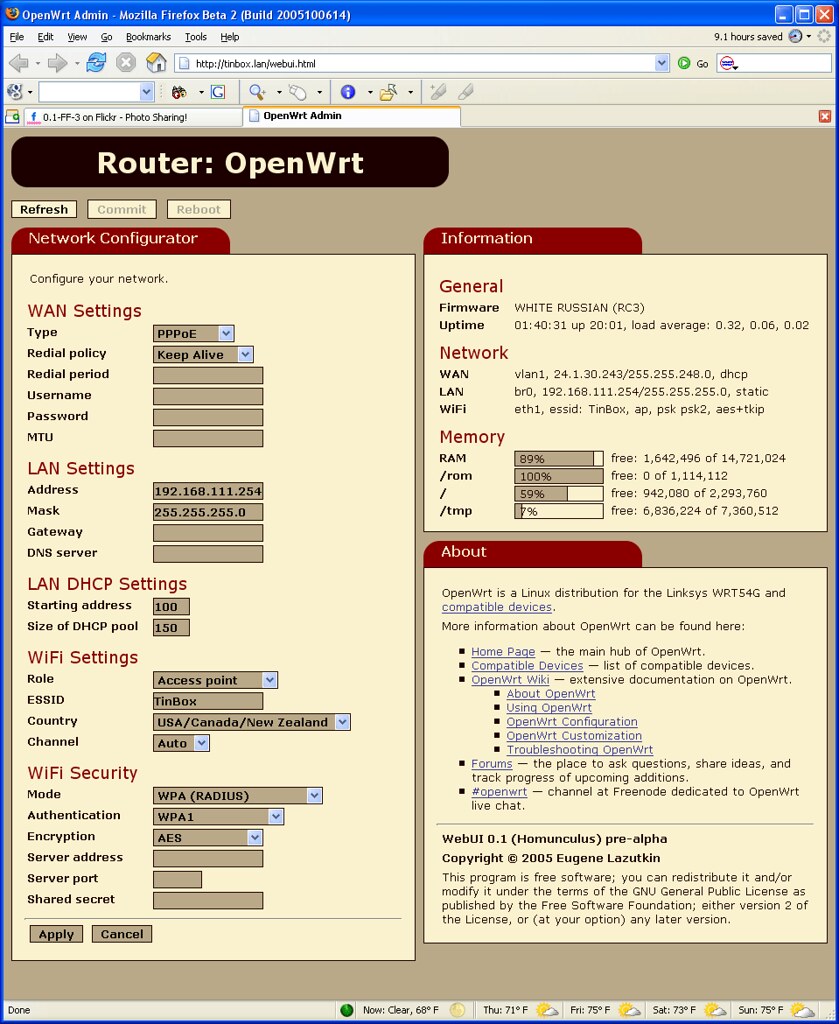
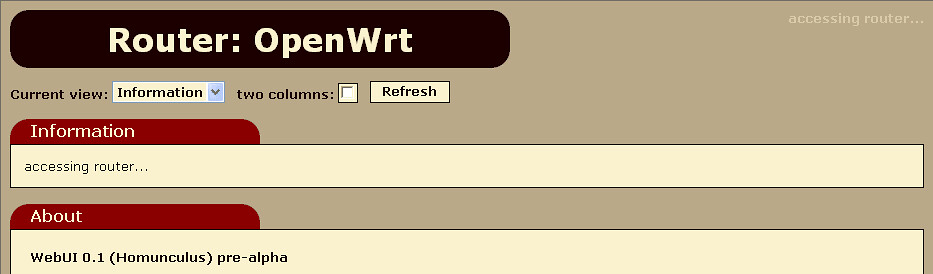
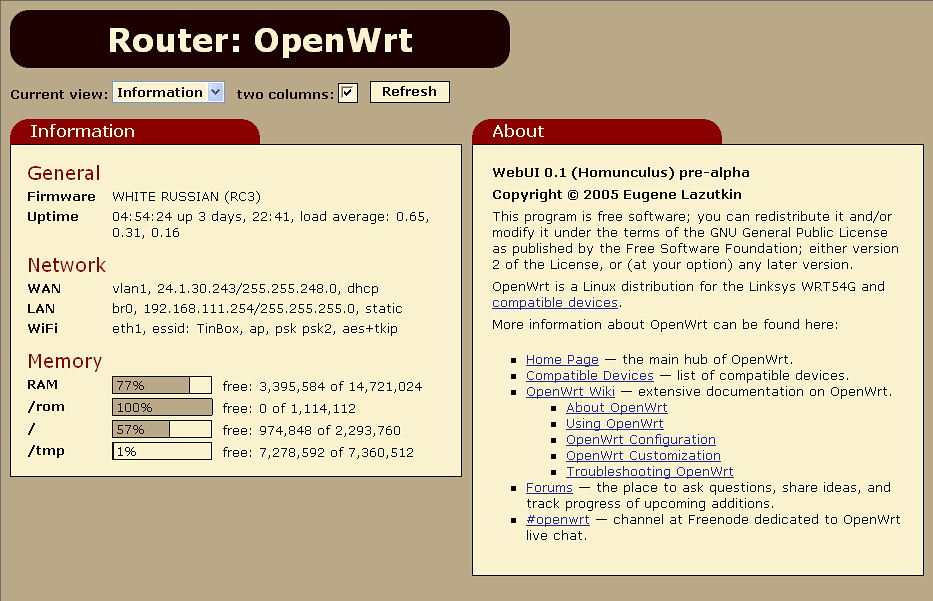
Finally I released a preview: /webui-0.1-pre-alpha.ipk!
I included two information applets and a simple network configuration applet. I think it would be enough for a proof of concept. I borrowed heavily from nbd’s webif
. So if it works for you, it is due to his OpenWrt expertise. If it doesn’t, it is my fault.
Both webif and webui can be installed side by side:
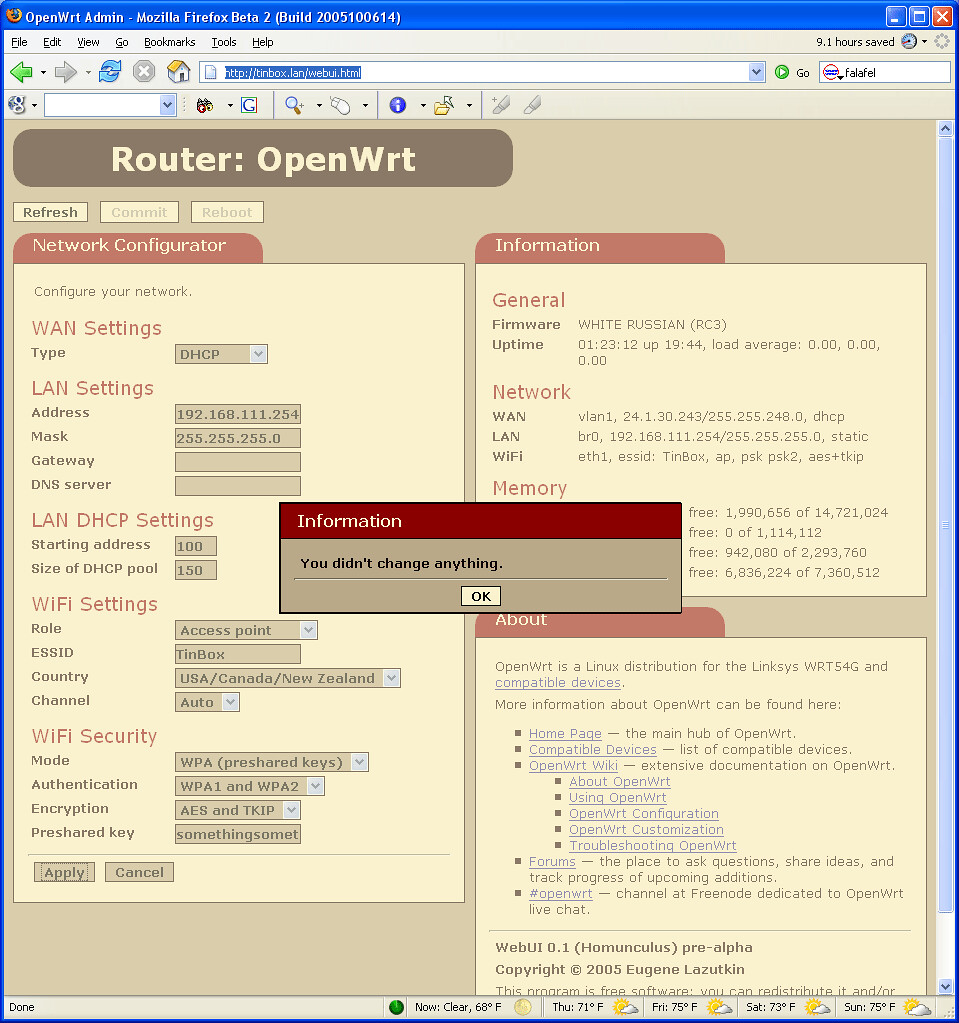
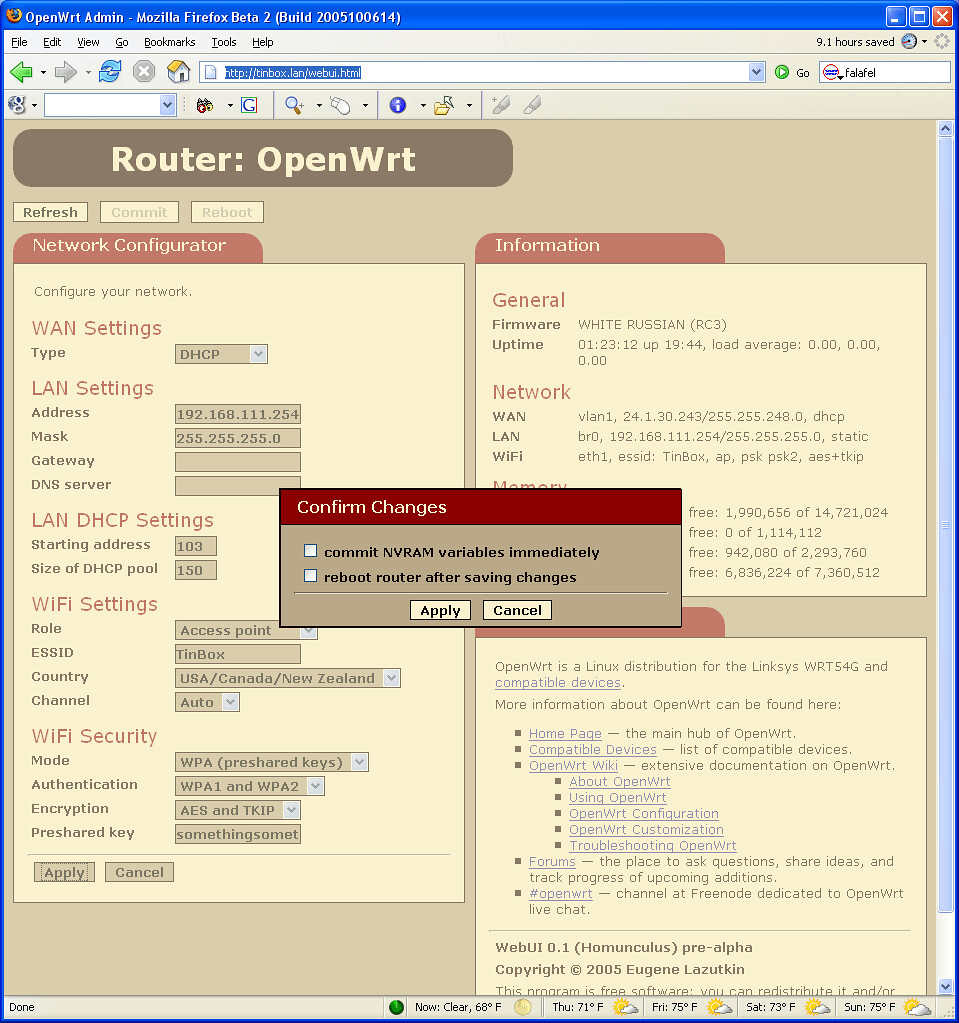
Finally I found time to finish it up. It is pre-alpha quality now, but shows the direction.
The only problem is a packaging. I didn’t mean OpenWrt
’s IPKG. I am talking about creating a custom build of Dojo
to reduce the foot print. Dojo has a special provision for that but so far I was not able to do it getting some strange errors. I hope I’ll get some help from developers.
I’ve migrated my sites to new Django admin. It is easy to do but make sure that you followed instructions closely. Small mistakes can cost you a lot of head-scratching time. You can find the instructions at the bottom of Backwards-incompatible changes
.
New refactoring has totally made sense. Meanwhile Robert Wittams & Co is working on new-admin (note the hyphen). Django’s admin is a very nice app (now it is an app!). I hope I could reuse some pieces of upcoming new-admin in my apps. If I remember correctly it was the main driving force behind branching.
DreamHost
has installed Python 2.4.1. Somehow I didn’t see it before. Default python goes to Python 2.3.5. Use python2.4 instead.
As you know I bricked
my wireless router. All simple things were tried without any positive effect. Kaloz (of OpenWrt fame) has advised me to try JTAG
. It’s a very simple thing: you need a computer, a proper software, and JTAG cable, which can be self-made
. Obviously the last part is the crucial one.
I made a trip to my friendly neighborhood Altex
store and bought all necessary parts: 4 100 Ohm resistors, male & female 14 pin IDC connectors (they didn’t have 12 pin ones, which were modified later using cutters), 25 pin male SUB-D, and 3’ 25 pin male to female cable — I figured I’ll make extremely short JTAG "cable" and attach it to short printer cable. The last item was the most expensive part: $3.99. It took me about 5 minutes to put everything together.
In his blog post Ian Maurer shares a very slick way to run unit tests with SQLite’s in-memory database. Check it out: http://itmaurer.com/blog/?p=2
Simple, elegant, practical.
Today I have good news and bad news.
The good news is tonight I was able to work on AJAX OpenWrt GUI a little bit more. It is coming together. I coded my first applet. It shows current stats, nothing fancy.
The bad news is I bricked my router apparently by running nvram show repeatedly. I suspect that nvram is corrupted beyond salvation. I have to reset it somehow. I tried simple recipies listed in OpenWrt Wiki
but no luck so far. I’ll try to revive it on weekend. I have a feeling that my future lies with JTAG. Until the router is up I cannot debug OpenWrt GUI.
I was able to spend several hours this week to work on upcoming OpenWrt
GUI. I use Dojo
as a foundation. At this point I coded a skeleton, which works as a proof of concept. As soon as I finish putting in AJAX guts, I’ll switch to meaty functionality. Add some nice skin to it and we have our homunculus
up and running.
Huh? AJAX? No, it’s not Ajax the detergent
. No, I didn’t mean Ajax the pro soccer club
. "Now I clearly remember that AJAX is a Trojan, and I don’t like Trojans and viruses" — clever, but no. Go see the movie
about Greek heroes and the Wooden Horse. And let’s skip "Trojan" discussion altogether — I’m trying to be PG-13 rated.
Once again, let’s grab new version of TinyMCE
.
I am running new Django cache code now. If you notice any problems with it (e.g., error messages), please drop me a line at once.
My email is at the bottom of the page.
For a long time I wanted to have two TinyMCE toolbars for Django Admin:
- One-line toolbar with the most essential tools, which gives a lot of space for inline editing of text.
- Full-featured toolbar with all tools for full-screen mode.
It finally happened. Spocke (the main developer of TinyMCE) helped me to figure out how to do it. I updated my article in Django Wiki
with new config file, and removed my notes about space problem (new config file solves it) and flickering (new TinyMCE 2.0 RC2 works perfectly).
In my previous post
I complained about annoying flickering. Well, I’ve upgraded to TinyMCE 2.0 RC2
and it doesn’t flicker anymore! Run, don’t walk, and upgrade immediatelly!